

Floure turns speech into clean text on your own machine. Press the shortcut, speak, and the transcript is typed into the window that had focus or copied to the clipboard. No account, no cloud dependency on the default path.
mic (cpal) → Silero VAD → Parakeet / Whisper (sherpa-onnx)
  → optional cleanup (local llama.cpp or OpenRouter)
  → type into the focused window / clipboard
The application is a native Rust binary built with GPUI. There is no webview, no Node build step, and no browser process.
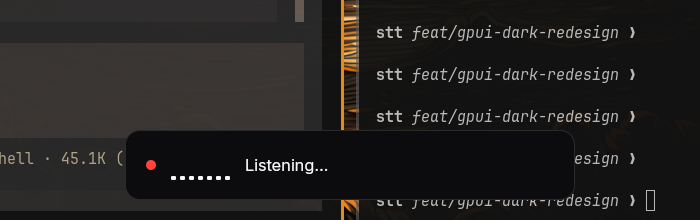
The dictation overlay widget while you speak — waveform bars riding the mic envelope, live partial text, red recording dot:
 |
 |
 |
 |
- Linux (X11 or Wayland) with working Vulkan or OpenGL drivers. GPUI renders through the GPU and has no software fallback for the window itself.
- A microphone through PipeWire, PulseAudio, or ALSA.
- About 1 GB of disk for the recommended ASR and cleanup models.
Release assets are published on the GitHub releases page:
- Debian/Ubuntu:
sudo apt install ./floure_*.deb - Fedora/RHEL:
sudo dnf install ./floure-*.rpm - Arch Linux:
sudo pacman -U ./floure-*.pkg.tar.zst - Any distribution: extract the portable
.tar.gzand putbin/floureonPATH;INSTALL.mdinside covers the optional desktop entry.
Models download on first run from Configuration → Models. Nothing is downloaded until you ask for it.
The workspace pins Rust 1.99.1 through mise.toml. With mise installed:
mise install
cargo build -p floure-app          # target/debug/floure
cargo test --workspace
cargo clippy --workspace -- -D warnings
Without mise, install Rust 1.99.1 with rustup and run the same commands.
The first build compiles sherpa-onnx and llama.cpp, so it takes a while.
Builds are capped at two parallel jobs (.cargo/config.toml and mise.toml)
to keep peak RAM under a 15 GB machine's budget. Inference is capped at four
threads; FLOURE_MAX_THREADS=1|2|3 lowers it further on a constrained laptop.
Run it:
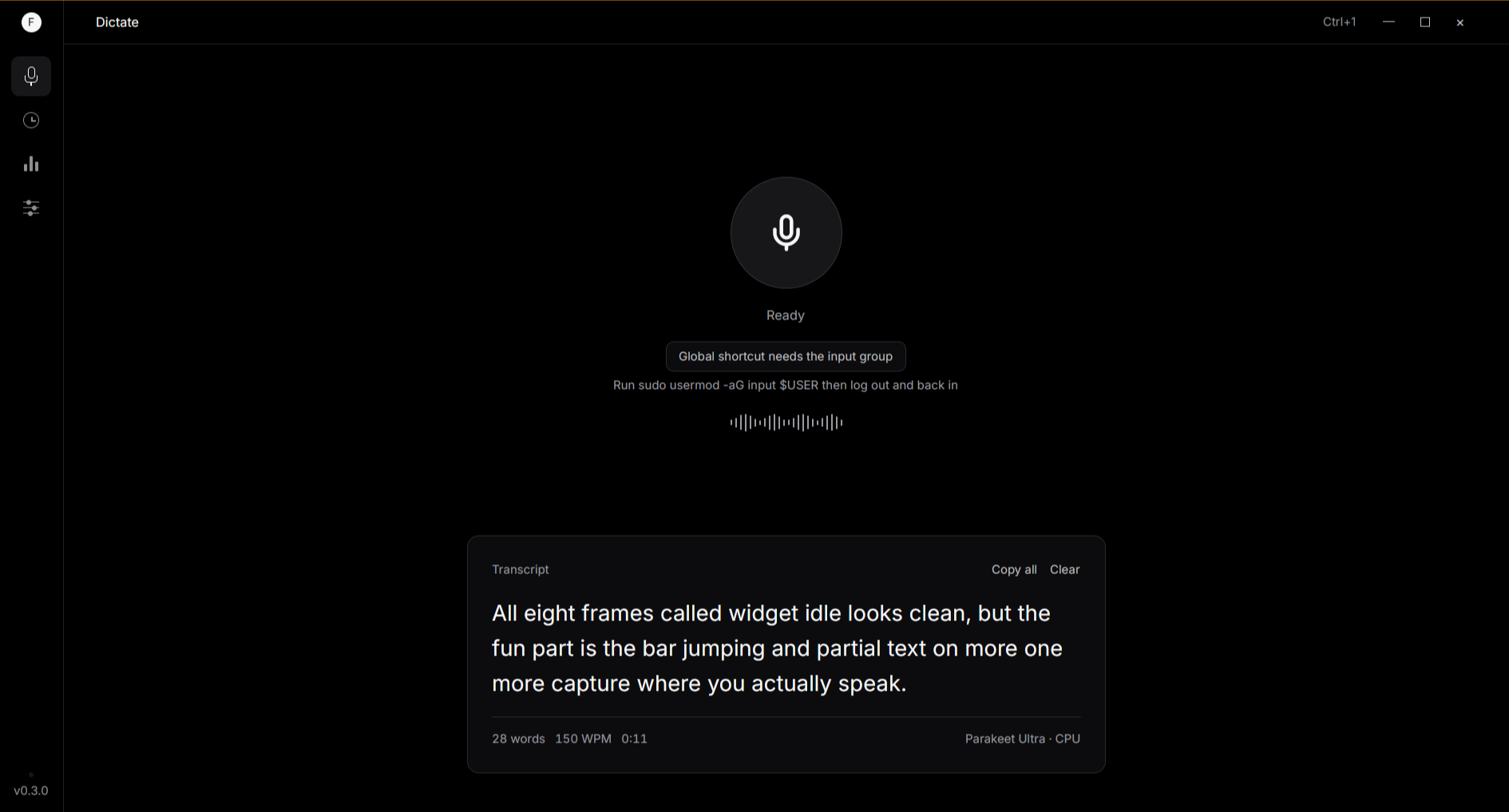
./target/debug/floure- Dictate — the microphone, the current transcript, Copy/Cancel/Clear, and a one-line session strip (words, WPM, elapsed). Errors stay visible until dismissed or retried.
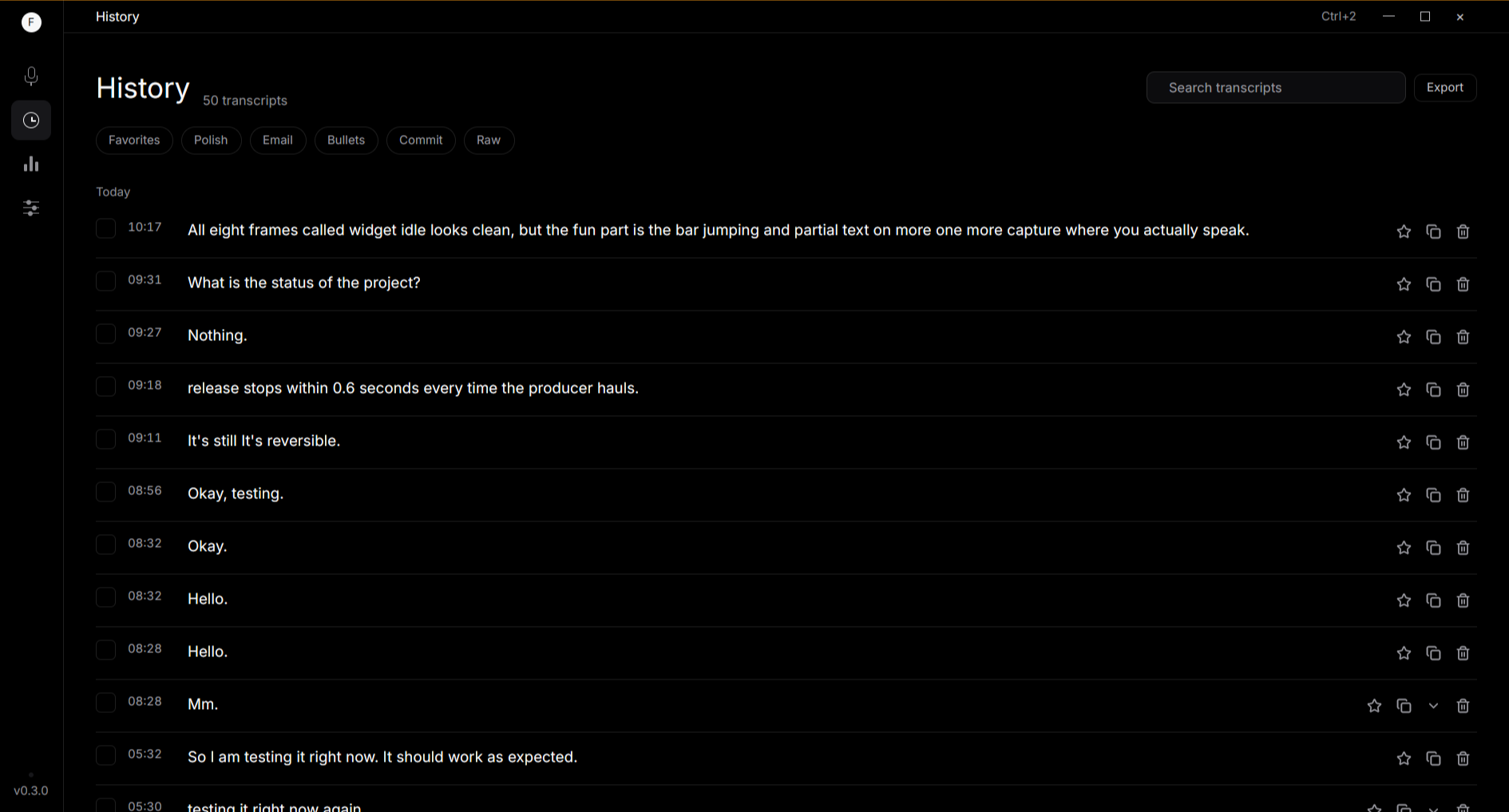
- History — FTS-backed search (
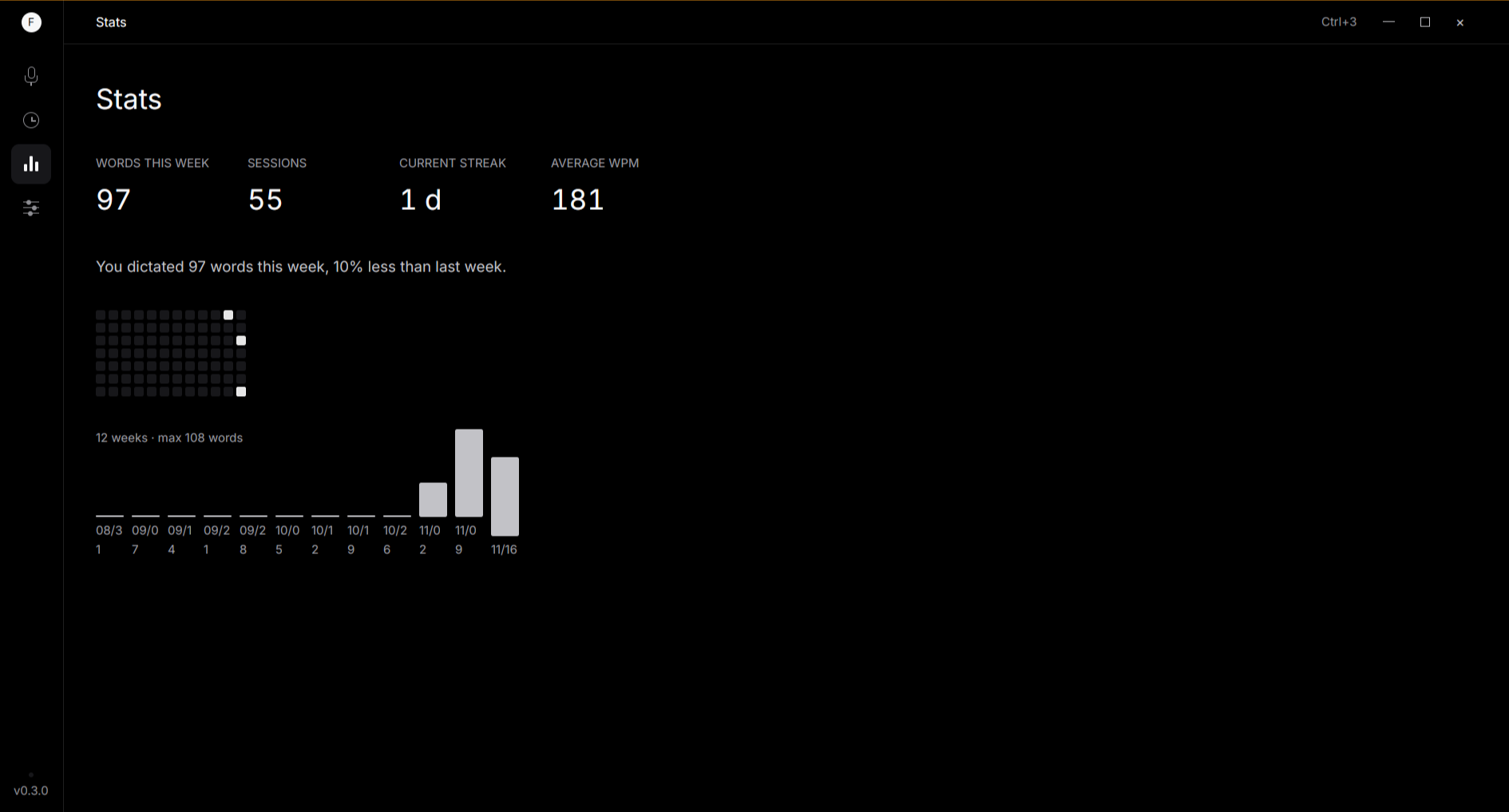
Ctrl+Ffocuses it), date groups, filters, favorites, copy/delete, multi-select delete, and CSV export of the filtered result. - Stats — words this week, sessions, streak, average WPM, a 12-week activity grid, and weekly bars. Every value comes from your local history.
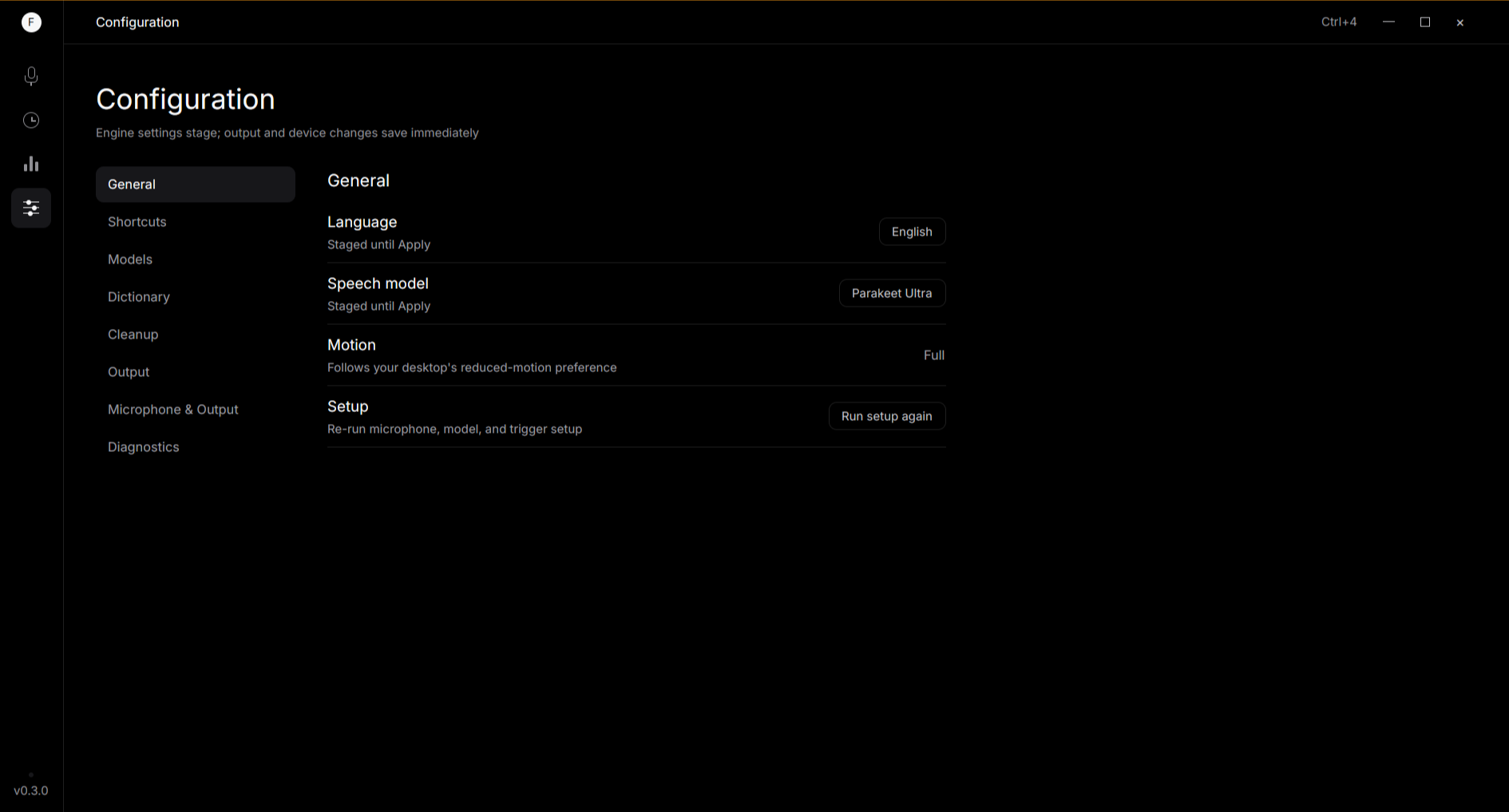
- Configuration — one page with General, Shortcuts, Models, Dictionary, Cleanup, Output, Microphone & Output, and Diagnostics. Engine-affecting rows stage behind Apply; output and device rows save immediately.
First run opens a three-step setup: microphone, model, trigger. It can be re-run from Configuration → General.
Dictation is raw ASR plus a deterministic repair pass by default: premature sentence breaks are rejoined, missing question marks are restored from structure, punctuation spacing and sentence-start casing are fixed, and a final full stop is added to prose. No model generates or removes words.
VAD segments are not sentences. The worker buffers consecutive segments and flushes one sentence group at a time, so a pause inside "the testing | of the application" becomes "the testing of the application", not a separately capitalised "Of the application".
Quantities are normalised too: "three thirty p.m." becomes "3:30 p.m.",
"twenty five dollars" becomes "$25", and "ten percent" becomes "10%".
Dictionary entries are applied again after recognition, so a spelling is
enforced even when the ASR or Polish pass gets it wrong. Spoken punctuation
("comma", "new line", "open quote") is an opt-in switch in
Configuration → Output.
Live text shows provisional words while a sentence is still being spoken. It is display-only: nothing is typed, cleaned, or saved until the sentence is finished. It is on by default and can be turned off in Configuration → Output. The ASR model is unloaded after three idle minutes and rebuilt on the next press, which keeps idle RAM low.
Polish is the optional LLM pass (Configuration → Cleanup → Mode). It is off by default. When enabled, it uses a strict punctuation-only prompt, rejects empty or shortened results (a 60% length floor), and falls back to the deterministic text. The local Polish model must be downloaded first; the UI says so instead of silently passing raw text.
| Platform | How to start and stop |
|---|---|
| Linux X11 | Global shortcut (default Ctrl+Shift+F12), hold or toggle |
Linux Wayland, input group |
Global shortcut via evdev — works in any compositor, hold or toggle |
Linux Wayland, no input group |
Bind floure --toggle in your compositor, use the tray, or POST to the loopback server |
| Any | Tray menu (Start recording / Stop recording), or the microphone button in the window |
Wayland has no reliable global key grab, so Floure has three ways in:
-
evdev (recommended): reads
/dev/input/event*directly. Add yourself to theinputgroup once, then log out and back in:sudo usermod -aG input $USERThe device is never grabbed, so typing keeps working. The Shortcuts page says when this is active and names the command when it is not.
-
Compositor binding: bind the loopback command to a key.
-
Tray or in-app button.
The loopback control server runs on 127.0.0.1:17833 and ships a CLI:
floure --toggle     # start/stop
floure --start
floure --stop
floure --show       # raise the window
floure --status     # JSON state
floure --diagnostics
A 240×56 status widget appears while an utterance is in flight: a layer-shell
overlay on wlroots/Hyprland/sway, a borderless floating window on X11. It never
takes keyboard focus, and compositors without zwlr_layer_shell_v1 report why
in Configuration → Diagnostics instead of failing silently.
Hyprland example:
bind = SUPER, D, exec, floure --toggle
Sway example:
bindsym $mod+d exec floure --toggle
On Wayland, typing falls back from wtype to dotool then ydotool. On
GNOME Wayland, typing into other applications therefore needs one of the
uinput tools; without them Floure still copies the transcript to the clipboard.
It never claims typing parity it cannot deliver.
| What | Where |
|---|---|
| Config | ~/.config/floure/config.json |
| Transcripts (SQLite + FTS5) | ~/.local/share/floure/history.db |
| Models | ~/.local/share/floure/models/ |
| Diagnostics | ~/.local/share/floure/diagnostics.json |
| Recent errors | ~/.local/share/floure/recent-errors.log |
| Data dir override | STT_DATA_DIR |
Audio is processed locally. When you choose OpenRouter cleanup, the transcript text is sent to that provider for that request; the OpenRouter key is kept for the session only. The default ASR and the local cleanup model run entirely on this machine.
Floure does not move focus away from the window you are writing into. The tray, the loopback server, and the window all use the same engine state.
| Model | Backend | Size | Notes |
|---|---|---|---|
| Parakeet TDT 0.6B v2 (int8) | sherpa-onnx | ~460 MB | Fast English dictation |
| Parakeet Ultra (int8) | sherpa-onnx | ~670 MB | Moondream's multilingual tuning of Parakeet v3 |
| Whisper large-v3-turbo | sherpa-onnx | ~540 MB | Multilingual |
| Whisper base | sherpa-onnx | ~200 MB | Lightweight |
| Silero VAD | sherpa-onnx | ~630 KB | Voice activity, auto-downloaded |
| S1-Mini Q4_K_M | llama.cpp | ~462 MB | Default local cleanup |
| Gemma 3 1B IT Q4_K_M | llama.cpp | ~806 MB | Alternative cleanup |
Model downloads are resumable and verified against the manifest. Parakeet
Ultra is the community sherpa-onnx int8 conversion of Moondream's model
(tpmaerk/parakeet-ultra-sherpa-onnx-int8, CC-BY-4.0); the weights derive from
NVIDIA Parakeet TDT 0.6B v3. Other ASR weights are CC-BY-4.0 from NVIDIA.
Dictionary entries feed the recogniser's decode bias, not a find-and-replace pass, so names and jargon are heard correctly the first time. Entries can be favorited; hotwords are edited in the same section. History rows can be starred for later reference.
crates/floure-core/   engine: audio, VAD, ASR, LLM, models, config,
                      history, dictionary, insights, diagnostics, events
crates/floure-app/    GPUI binary: shell, views, tray, hotkeys, loopback, CLI
packaging/            desktop entry, metainfo, icons, PKGBUILD, portable script
docs/adr/             architecture decisions
floure-core has no UI dependency. The engine emits EngineEvent on a
broadcast channel; the GPUI foreground executor consumes it without blocking
the render thread. Engine::stop() signals and returns; the worker flushes and
joins off-thread and emits Stopped.
The previous Tauri/React implementation remains under application/ only to
ship the one-time settings bridge (hotkey, activation mode, sound, onboarding)
into ~/.config/floure/ui-state.json, which the GPUI migration reads and
retires. It is not part of the build, CI, or release path.
GPL-3.0-or-later (see LICENSE). The repository was relicensed from GPL-2.0-only
because GPUI and gpui-component are Apache-2.0-only; see
docs/adr/0006-license.md. The bundled Inter typeface is licensed under the
SIL Open Font License; its licence ships in the packages and at
crates/floure-app/assets/fonts/OFL.txt.